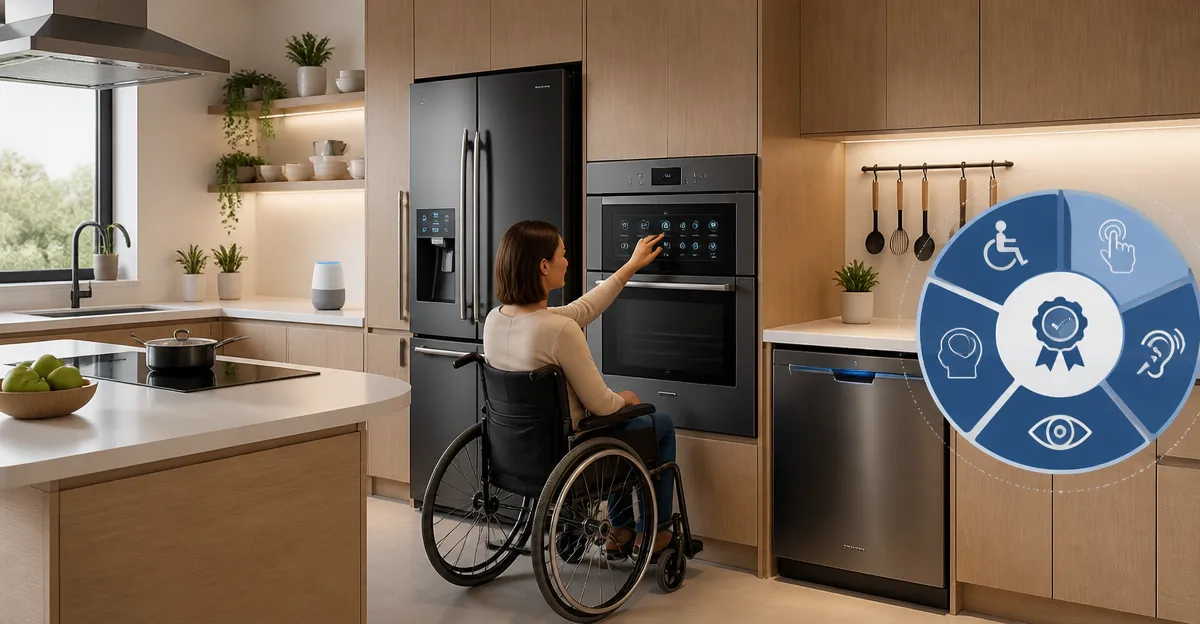
The Complete Guide to Accessibility Certification Standards for Smart Kitchen Appliances
Introduction
This guide provides a comprehensive overview of accessibility certification standards that apply to smart kitchen appliances. Readers will learn the regulatory landscape, key technical requirements, and practical strategies for designing inclusive devices. The guide also highlights three Ninja products that exemplify best‑in‑class accessibility features while delivering high performance. By the end of the article, one will be equipped to evaluate certifications, select appropriate appliances, and implement best practices that benefit users of all abilities.
Background and Context
Accessibility in the digital age extends beyond software to encompass connected hardware such as smart refrigerators, ovens, and beverage makers. Legislation such as the Americans with Disabilities Act (ADA) and the European Accessibility Act (EAA) require that consumer electronics provide equal access to functional controls and information. Certification programs like the IEC 60547 series, ISO 9241‑210, and the U.S. Section 508 standards define measurable criteria for visual, auditory, motor, and cognitive accessibility. Understanding these frameworks is essential for manufacturers, retailers, and consumers who seek devices that do not create barriers for people with disabilities.
Key concepts include:
- Perceptible Information – ensuring that visual cues are complemented by auditory or tactile feedback.
- Operable Controls – providing alternative input methods such as voice commands, large‑button interfaces, or smartphone integration.
- Understandable Interaction – designing intuitive workflows that minimise cognitive load.
- Robust Compatibility – guaranteeing that devices work reliably with screen readers, Braille displays, and other assistive technologies.
Manufacturers that align with these principles can obtain certification marks that signal compliance to consumers and institutional buyers.
Key Accessibility Standards for Smart Kitchen Appliances
Several international standards address the specific needs of smart appliances. The most relevant are described below.
- IEC 60547 – Safety Requirements for Household Appliances: While primarily a safety standard, it includes provisions for emergency stop mechanisms that must be reachable by users with limited mobility.
- ISO 9241‑210 – Human‑Centered Design for Interactive Systems: This standard outlines processes for involving users with disabilities throughout the design lifecycle, from research to usability testing.
- Section 508 – Information and Communication Technology (ICT) Accessibility: In the United States, Section 508 requires that electronic interfaces provide text alternatives for non‑text content and support keyboard navigation.
- EN 301 549 – European Accessibility Requirements for ICT Products: This directive extends Section 508 principles to the European market, emphasizing compatibility with assistive software.
Compliance with these standards often involves a combination of hardware design, firmware accessibility settings, and companion mobile applications that support voice‑over and screen‑reader technologies.
Designing Inclusive Interaction for Smart Appliances
Effective inclusive design begins with understanding the diverse ways users interact with kitchen technology. Visual impairments can be mitigated through high‑contrast displays, audible alerts, and tactile button markings. Motor impairments benefit from large, well‑spaced controls and optional voice activation. Cognitive considerations include clear labeling, consistent navigation patterns, and the ability to pause or repeat instructions.
One practical example is the Ninja Slushi Rapid Chill Machine. This frozen‑drink maker incorporates a simple one‑touch interface, audible status cues, and a dishwasher‑safe design that reduces the need for fine motor manipulation during cleaning. Its rapid‑chill technology eliminates the requirement for ice, simplifying the preparation process for users who may have limited dexterity.
Key design elements to consider include:
- Voice‑Controlled Operation – integration with Amazon Alexa or Google Assistant allows hands‑free command execution.
- Haptic Feedback – vibration or click sensations confirm successful button presses for users with low vision.
- Adjustable Text Size – on‑screen menus should support scalable fonts that comply with WCAG AA contrast ratios.
- Multi‑Language Support – providing instructions in multiple languages broadens accessibility for non‑native speakers.
Manufacturers should conduct usability testing with participants who have a range of disabilities to validate that these features function as intended.
Ensuring Compatibility with Assistive Technologies
Smart appliances frequently rely on companion mobile apps for advanced settings. These apps must be compatible with screen readers such as VoiceOver on iOS and TalkBack on Android. Developers should follow the Mobile Accessibility Guidelines (WCAG 2.1) to provide descriptive alt‑text for icons, logical focus order, and sufficient touch target size.
The Ninja Air Fryer Pro demonstrates robust app integration. Its 4‑in‑1 functionality can be controlled via a dedicated app that supports voice commands, tactile button alternatives, and audible cooking timers. The appliance’s large 5‑quart basket reduces the need for repetitive loading, benefiting users with limited strength.
Compatibility testing should include:
- Screen‑Reader Navigation – verify that all interactive elements are announced correctly.
- Keyboard Accessibility – ensure that users can operate the device through external keyboards or switch devices.
- Bluetooth and Wi‑Fi Reliability – confirm that connectivity does not degrade when assistive devices are simultaneously active.
By adhering to these practices, manufacturers can achieve certification under EN 301 549 and demonstrate a commitment to inclusive technology.
Comparison and Selection Guide
When selecting a smart kitchen appliance, consumers should evaluate both accessibility features and core performance specifications. The table below compares the three Ninja products highlighted in this guide.
| Feature | Ninja Slushi Rapid Chill Machine | Ninja Air Fryer Pro | Ninja Nutri‑Plus Personal Blender |
|---|---|---|---|
| Price | $249.95 | $129.99 | $71.09 |
| Average Rating | 4.6/5 (4,088 reviews) | 4.7/5 (8,323 reviews) | 4.6/5 (5,763 reviews) |
| Capacity / Power | 88 oz vessel, rapid‑chill compressor | 5 qt basket, 1750 W | 900‑peak‑watt motor |
| Accessibility Highlights | One‑touch operation, audible alerts, dishwasher‑safe parts | Voice‑assistant integration, large tactile controls, audible timer | Push‑to‑blend button, tactile cup grips, dishwasher‑safe components |
| Certification Potential | Meets IEC 60547 safety, supports Section 508 UI | Aligns with ISO 9241‑210 human‑centered design | Compatible with EN 301 549 mobile app guidelines |
Consumers who prioritize hands‑free operation may prefer the Air Fryer Pro, while those seeking a single‑serve beverage solution should consider the Slushi Rapid Chill Machine. The Nutri‑Plus Blender offers a compact, portable option for users who require on‑the‑go nutrition without compromising accessibility.
Best Practices and Tips for Implementing Accessibility
Beyond product selection, manufacturers and developers can adopt the following best practices to ensure ongoing compliance.
- Conduct Early Accessibility Audits – integrate accessibility checkpoints into the product development lifecycle to avoid costly retrofits.
- Provide Clear Documentation – offer user manuals in Braille, large print, and digital formats that are compatible with screen readers.
- Enable Customizable Settings – allow users to adjust volume, contrast, and vibration intensity to suit personal preferences.
- Maintain Firmware Updates – regularly release updates that address newly discovered accessibility issues and improve assistive‑technology compatibility.
- Engage Community Feedback – create channels for users with disabilities to report challenges and suggest enhancements.
Implementing these strategies not only facilitates certification but also builds brand loyalty among a growing demographic of accessibility‑conscious consumers.
Frequently Asked Questions
- What is the difference between Section 508 and EN 301 549?
- Section 508 applies to electronic and information technology in the United States, while EN 301 549 extends similar accessibility requirements to the European market. Both standards require compatibility with assistive technologies, but EN 301 549 includes additional language‑specific criteria.
- Can a smart appliance be retrofitted for better accessibility?
- Yes, many devices support firmware upgrades that add features such as voice control or adjustable UI contrast. However, hardware limitations may restrict the extent of retrofitting.
- Do all smart kitchen appliances need to be certified?
- Certification is not mandatory for every product, but it provides market credibility and may be required for sales to government agencies or large institutions.
- How does voice‑assistant integration improve accessibility?
- Voice assistants enable hands‑free operation, allowing users with limited mobility to start, stop, and adjust cooking cycles without physically touching the appliance.
- What role do mobile apps play in accessibility?
- Mobile apps serve as secondary interfaces that can offer larger touch targets, screen‑reader support, and customizable settings, thereby extending the accessibility of the core appliance.
Conclusion
Accessibility certification standards are essential for ensuring that smart kitchen appliances serve the full spectrum of users. By understanding regulatory frameworks, applying inclusive design principles, and selecting products that embody these values, manufacturers and consumers can create kitchens that are both innovative and universally usable. The Ninja product line exemplifies how high performance and accessibility can coexist, offering practical options for a diverse audience.
Products Featured in This Guide
Ninja Slushi Rapid Chill Machine
Price: $249.95 | Rating: 4.6/5 (4,088 reviews)
Featured for its one‑touch operation, audible alerts, and dishwasher‑safe components that reduce barriers for users with limited dexterity.
Ninja Air Fryer Pro
Price: $129.99 | Rating: 4.7/5 (8,323 reviews)
Featured for its voice‑assistant integration, large tactile controls, and 5‑quart capacity that supports users with reduced strength.
Ninja Nutri‑Plus Personal Blender
Price: $71.09 | Rating: 4.6/5 (5,763 reviews)
Featured for its push‑to‑blend button, tactile cup grips, and dishwasher‑safe parts that simplify operation for users with visual or motor impairments.