Introduction
Organizing a pantry for individuals with low vision requires a blend of visual clarity, tactile feedback, and technology that supports independence. This guide explains how to implement high‑contrast labels, tactile markers, and voice‑friendly systems so that anyone can locate food items quickly and safely. Readers will learn which tools simplify the process, why each tool matters, and how to apply them systematically. By following the steps, one can transform a chaotic storage area into an accessible, efficient space.
What You’ll Need
- High‑contrast waterproof labels (e.g., Hygge & Sage Pantry Labels)
- Tactile silicone bump dots (e.g., HaiFafafaing Bump Dots)
- Dissolvable food‑rotation stickers (e.g., L LIKED Dissolvable Labels)
- Optional minimalist waterproof stickers (e.g., SAVVY & SORTED Pantry Labels)
- Sharpie or permanent marker, scissors, ruler, and a smartphone with a voice‑assistant app.
Step 1: Assess Your Pantry Layout and Lighting
The first action is to map the pantry shelves, noting the height of each shelf, the type of containers used, and the amount of natural or artificial light available. A well‑lit environment enhances contrast, but many low‑vision users rely on peripheral lighting, so positioning labels at eye level is critical. Measure the width of each container to determine label size; most pre‑printed labels fit standard 2.5‑inch squares. Record the inventory on paper or a digital note to avoid duplicate purchases.
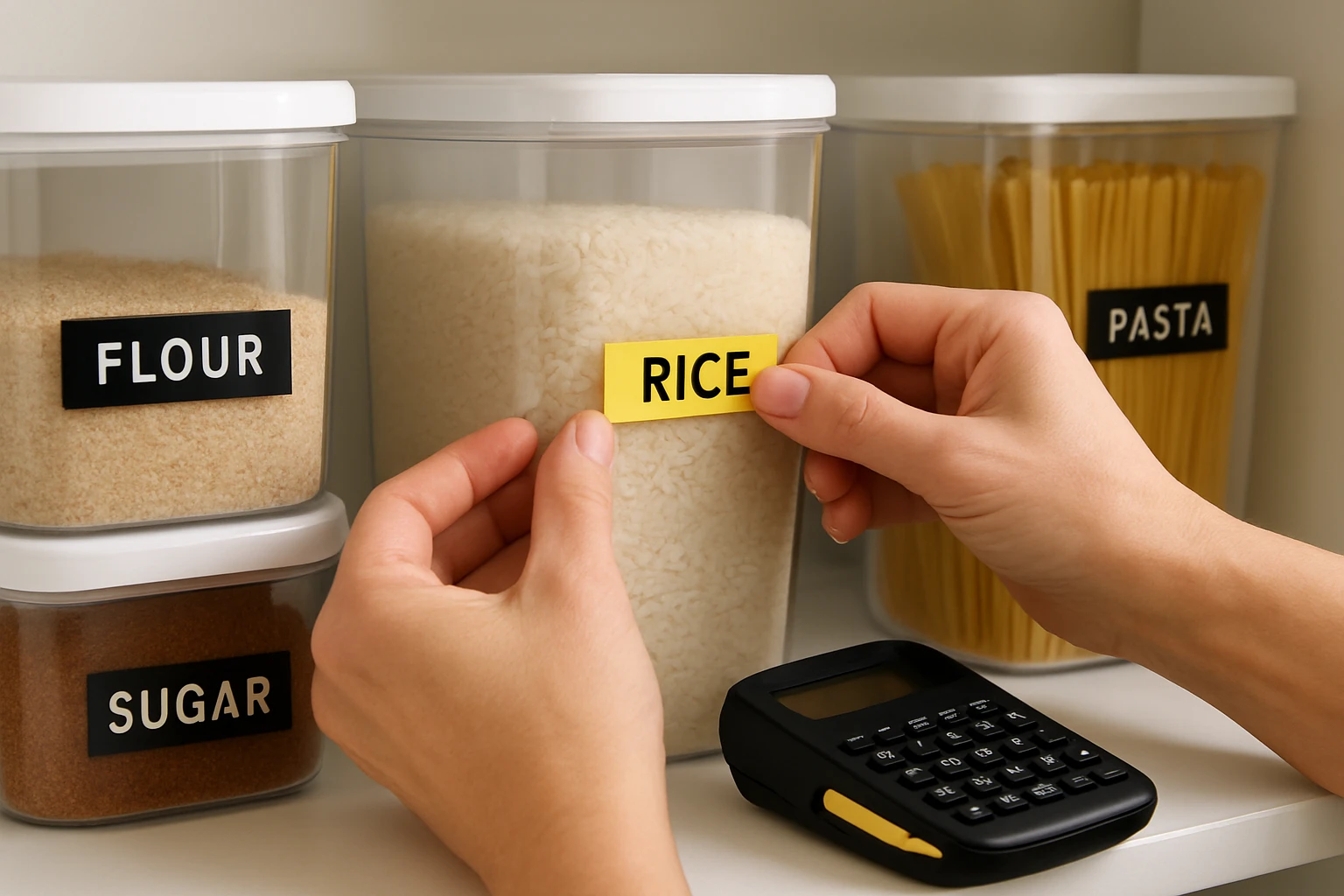
Step 2: Choose a High‑Contrast Visual Labeling System
High‑contrast labels use a light background with dark text, which maximizes legibility for users with reduced visual acuity. The Hygge & Sage Pantry Labels provide clear black print on a transparent background, are waterproof, and can be removed without residue. Priced at $12.98 with a 4.7‑star rating from 36 reviews, they include 180 pre‑printed stickers and 12 blanks for custom items, covering most pantry categories. Apply each label to the front of containers, ensuring the text faces outward for quick scanning. For a more minimalist aesthetic, the SAVVY & SORTED Pantry Labels offer white backgrounds with black text and a sleek design; they cost $24.95 and hold a 4.7‑star rating from over 1,200 reviewers. Choose the set that best matches the kitchen’s décor while preserving readability.
Step 3: Add Tactile Markers for Quick Identification
Even with high‑contrast stickers, some users benefit from tactile cues that can be felt without looking. The HaiFafafaing Bump Dots are silicone stickers available in five sizes and multiple colors, allowing differentiation between categories such as grains, spices, or canned goods. Each pack costs $6.99 and carries a 4.5‑star rating from two reviews. Peel a dot and press firmly onto the label’s corner; the strong adhesive ensures it stays in place even on glossy surfaces. Use larger red dots for staple items, medium‑sized blue for snacks, and small green for spices, creating a consistent color‑size code that can be memorized through touch. This tactile system reduces reliance on sight and supports independent pantry navigation.
Step 4: Implement Food‑Rotation Labels That Dissolve
Maintaining food freshness is essential, especially when visual cues are limited. The L LIKED Dissolvable Labels dissolve in water within 30 seconds, leaving no residue, and are priced at $16.99 with a 4.7‑star rating from 256 reviewers. Write the preparation date on each label, then attach it to the container’s lid. When it is time to discard or consume the item, simply rinse the label off; the absence of a lingering sticker prevents confusion over stale dates. This solution is especially useful for families who rotate meals weekly, as it eliminates the need for permanent markers that can become illegible over time.
Step 5: Integrate Voice‑Friendly Technology
Modern smartphones can read aloud text from labels using optical character recognition (OCR) or QR codes. Create a simple spreadsheet linking each container’s name to a voice command, then generate QR codes with free online tools. Print the QR codes on standard paper and attach them alongside the high‑contrast label. When a user scans the code with a voice‑assistant app, the phone announces the contents and expiration date. This step does not require additional purchases but complements the tactile and visual systems, offering a multi‑modal approach to pantry access.
Tips & Pro Tips
- Apply labels to a clean, dry surface; wipe containers with a damp cloth before sticking to ensure maximum adhesion.
- Use a ruler to align labels uniformly; consistent placement speeds up visual scanning and tactile discovery.
- For rounded jars, apply a small piece of clear tape before the label to prevent puckering, a common issue noted by users of the SAVVY & SORTED set.
- Store spare bump dots in a resealable bag to keep them from drying out.
- Periodically review the QR‑code database to update any changes in inventory or expiration dates.
Troubleshooting
Labels peeling off: Ensure the container surface is free of oil or residue; a quick wipe with rubbing alcohol improves grip. If the problem persists, switch to the waterproof SAVVY & SORTED stickers, which are designed for moisture resistance.
Bump dots not adhering: Press the dot firmly for at least five seconds, especially on textured surfaces. For stubborn surfaces, clean with mild soap and dry thoroughly before application.
QR codes not scanning: Print at a minimum of 2 cm square size and avoid glossy paper, which can reflect light and hinder scanning.
Conclusion
By combining high‑contrast visual labels, tactile bump dots, dissolvable rotation stickers, and voice‑friendly QR codes, one creates a pantry that serves the needs of low‑vision users comprehensively. The recommended products—Hygge & Sage Pantry Labels, HaiFafafaing Bump Dots, L LIKED Dissolvable Labels, and SAVVY & SORTED Pantry Labels provide reliable, affordable solutions that enhance safety and independence. Implement the steps, adapt the tips to your kitchen, and enjoy a pantry that is both organized and accessible.
Products Mentioned in This Guide
Frequently Asked Questions
What type of label is best for low‑vision pantry organization?
High‑contrast, waterproof labels with large, bold fonts provide clear visual cues and resist moisture.
How do tactile markers help someone with low vision find items?
Silicone bump dots add a distinct raised texture that can be felt by touch, allowing quick identification of containers.
Can food‑rotation stickers be used with low‑vision labeling systems?
Yes, dissolvable rotation stickers can be placed over labels and removed after use, keeping dates visible without clutter.
Do I need special tools to apply these labels and markers?
A basic label dispenser or scissors and a fingertip applicator for bump dots are sufficient for most homes.
Are there voice‑friendly options for pantry labeling?
Pairing printed labels with smart speakers or barcode‑scanning apps lets users ask for item locations audibly.