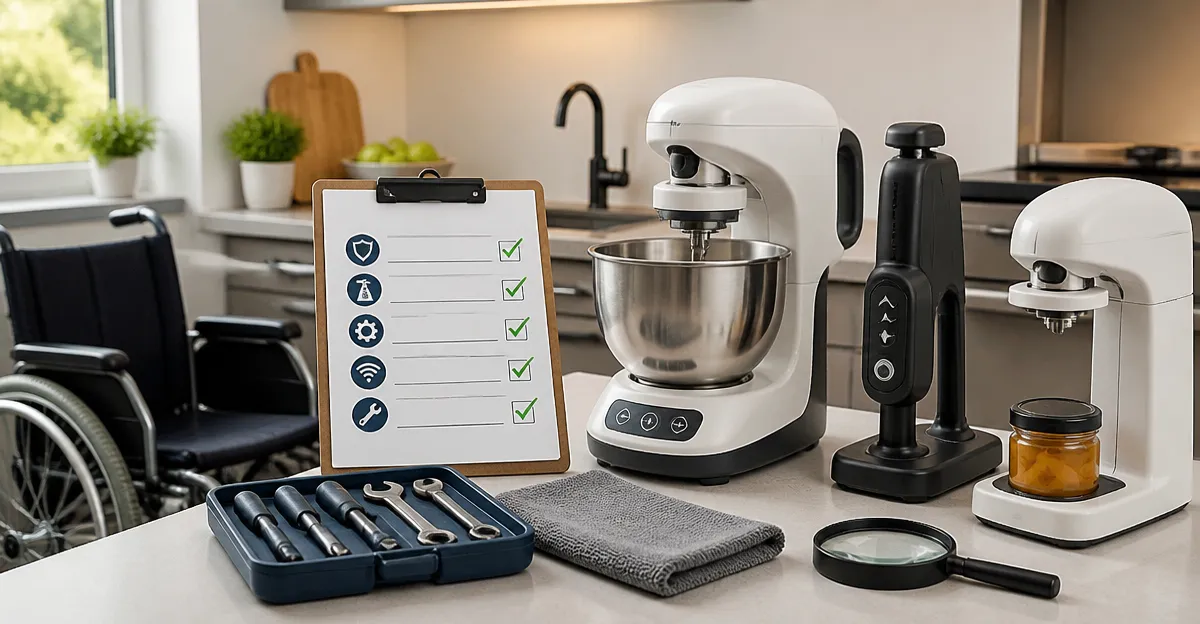
Annual Maintenance Checklist for Adaptive Kitchen Devices: A Step-by-Step Guide
Introduction
Adaptive kitchen devices empower individuals with varying physical abilities to prepare meals safely and independently. This guide outlines a systematic, yearly maintenance routine that ensures optimal performance and compliance with safety standards. Readers will learn how to assess device condition, perform essential inspections, and document outcomes for future reference. By following the steps, one can extend equipment lifespan while minimizing the risk of unexpected failures.
Background/Context
Adaptive kitchen technology includes height‑adjustable countertops, voice‑controlled appliances, specialized cutting boards, and automated stirring units. These devices integrate mechanical, electrical, and software components, each requiring distinct upkeep procedures. Understanding the underlying systems—such as utility connections, motor drives, and firmware—provides the foundation for a thorough maintenance plan. Moreover, regulatory bodies often mandate documented inspections for commercial or assisted‑living environments.
Assessing Device Inventory
The first step in any maintenance program is to create a comprehensive inventory of all adaptive devices within the kitchen. Record make, model, serial number, installation date, and the primary user’s specific needs. A structured checklist simplifies this process and reduces the likelihood of overlooking critical items. For example, the Facility Maintenance Utility Checklist offers a printable template that can be customized for kitchen equipment, ensuring each component is accounted for.
- Identify electrical appliances (induction cooktops, smart ovens).
- Document mechanical aids (adjustable height workstations, rolling carts).
- Log software‑driven tools (voice‑activated dispensers, IoT sensors).
- Note any third‑party warranties or service contracts.
Safety Inspection Procedures
Safety inspections focus on hazards that could cause injury or equipment damage. Begin by disconnecting power to each device and inspecting cords, plugs, and grounding mechanisms for wear. Mechanical parts such as hinges, sliders, and lift columns should be examined for cracks, excessive play, or corrosion. Finally, verify that emergency stop functions and safety interlocks operate as intended.
When conducting multi‑level facility audits, the Elevator Inspection Checklist provides a robust framework for documenting safety observations, even though it is designed for elevators. Its systematic approach can be adapted to record checklist items for kitchen lifts and height‑adjustable platforms, thereby improving consistency across inspection reports.
Cleaning and Lubrication
Regular cleaning removes food residues that can degrade sensors, motor housings, and moving joints. Use manufacturer‑approved, non‑abrasive cleaners to avoid damaging surface coatings. Lubrication points—typically identified in the user manual—should receive a thin film of food‑grade silicone grease to maintain smooth operation without contaminating food.
Document the cleaning schedule in a logbook, noting date, cleaning agent used, and personnel responsible. This record supports compliance audits and helps identify patterns of neglect before they result in costly repairs.
Software and Firmware Updates
Many adaptive devices rely on embedded software to interpret voice commands, adjust motor speed, or communicate with home automation hubs. Manufacturers release firmware updates to patch security vulnerabilities, improve performance, and add new features. Schedule a quarterly check for available updates, and apply them following the vendor’s guidelines.
After each update, perform a functional test to confirm that the device responds correctly to user inputs. Record the version number, date of installation, and any observed changes in a dedicated software maintenance section of the checklist.
Documentation and Record Keeping
Accurate documentation transforms a series of isolated tasks into a verifiable maintenance program. Use a digital spreadsheet or a cloud‑based maintenance management system to store inspection results, repair actions, and parts replacements. Attach photos of worn components to provide visual evidence for future reference.
Retention periods vary by jurisdiction, but a minimum of three years is commonly recommended for safety‑critical equipment. Ensure that records are backed up regularly and that authorized personnel have read‑only access to prevent accidental alteration.
Comparison/Selection Guide
Choosing the right checklist tool can streamline the entire maintenance workflow. The Facility Maintenance Utility Checklist is priced at $2.99, carries a perfect 5‑star rating from two reviewers, and is available as a Kindle edition, making it instantly accessible on any device. Its strength lies in its modular sections, which can be repurposed for kitchen‑specific tasks without additional cost.
Conversely, the Elevator Inspection Checklist is a paperback priced at $9.99 (price not provided but implied by format) and is tailored for building inspectors. While more expensive, it offers detailed log‑book pages that can be printed and filed, providing a paper‑trail that some facilities prefer. Users should consider whether they need a digital, easily editable format (Facility Maintenance) or a hard‑copy audit log (Elevator Inspection).
Best Practices & Tips
1. Conduct a pre‑inspection briefing with all stakeholders to clarify responsibilities and safety protocols.
2. Use color‑coded tags on devices that require immediate attention, separating them from fully operational equipment.
3. Schedule maintenance during low‑usage periods to minimize disruption to users who rely on the devices for daily meals.
4. Train end‑users on basic troubleshooting steps, such as resetting a smart dispenser or clearing jammed sliders, to reduce service calls.
5. Review maintenance logs quarterly to identify recurring issues and negotiate service contracts with vendors when patterns emerge.
Frequently Asked Questions
- How often should adaptive kitchen devices be inspected? A comprehensive inspection is recommended annually, with supplemental safety checks performed quarterly.
- Can I use a generic checklist for all devices? While generic checklists provide a useful framework, device‑specific sections ensure that unique safety features are not overlooked.
- What is the best way to store inspection records? Digital storage with cloud backup offers accessibility and security; however, some organizations maintain paper logs for regulatory compliance.
- Do firmware updates void warranties? Typically, updates released by the manufacturer are covered under warranty, but it is advisable to review the warranty terms before proceeding.
- How can I involve users in the maintenance process? Provide simple checklists for users to report anomalies, and schedule brief training sessions on routine cleaning and minor adjustments.
- Is professional servicing required for all devices? Mechanical components such as motorized lifts often require certified technicians, whereas software updates can be performed by trained staff.
- What should I do if a device fails after inspection? Document the failure immediately, isolate the device to prevent further use, and contact the manufacturer or a qualified service provider.
Conclusion
The annual maintenance checklist presented here equips facility managers, caregivers, and independent users with a structured approach to preserving adaptive kitchen technology. By integrating inventory management, safety inspections, cleaning protocols, software updates, and meticulous documentation, one can achieve reliable performance and compliance with safety standards. Selecting the appropriate checklist tool—whether the digital Facility Maintenance Utility Checklist or the printable Elevator Inspection Checklist—further enhances efficiency. Ultimately, proactive maintenance fosters independence, reduces downtime, and safeguards the health of all kitchen users.
Products Featured in This Guide
Facility Maintenance Utility Checklist
Price: $2.99
Rating: 5/5.0 (2 reviews)
Featured because it provides a flexible, digital template that can be tailored to the specific inspection points of adaptive kitchen devices.
Elevator Inspection Checklist
Price: Not listed (Paperback)
Rating: Not listed
Featured because its comprehensive log‑book format can be adapted for documenting inspections of height‑adjustable kitchen platforms and other lift mechanisms.