Kitchen Lighting for Low Vision: A Practical Guide to Safer, Brighter Cooking
Introduction
Cooking in a dimly lit kitchen can present significant hazards for individuals with low vision. This guide explains how to assess lighting needs, apply evidence‑based illumination strategies, and select appropriate products that enhance safety and confidence while preparing meals. Readers will learn about the science of visual perception, the role of motion‑sensor and smart lighting, and actionable best‑practice tips that apply whether the kitchen is a modest apartment or a spacious family home.
Background and Context
Low vision encompasses a range of visual impairments that reduce the ability to see fine detail, contrast, or color. Common challenges include difficulty locating objects, distinguishing edges, and judging depth. Adequate lighting mitigates these challenges by increasing retinal illumination, improving contrast sensitivity, and reducing glare. The Illuminating Engineering Society (IES) recommends a minimum of 300 lux for task lighting in kitchens, but many low‑vision users benefit from higher levels, especially when performing intricate tasks such as chopping or reading stove controls.
Three lighting dimensions are most relevant: intensity (measured in lux), color temperature (measured in Kelvin), and distribution (how evenly light spreads across a surface). Warm white (2700–3000 K) creates a cozy ambience, while neutral or cool white (4000–6500 K) enhances color rendering and detail visibility. Adjustable lighting allows users to select the temperature that best supports their visual comfort.
In addition to static illumination, dynamic lighting technologies—motion sensors, rechargeable magnetic fixtures, and voice‑controlled smart systems—provide hands‑free operation, reduce energy waste, and address the practical constraints of low‑vision cooking environments.
Key Lighting Strategies for Low‑Vision Kitchens
Effective kitchen illumination combines layered lighting, strategic placement, and adaptive controls. The following sections outline each component and recommend specific products where they add measurable value.
1. Layered Lighting Approach
Layered lighting integrates three basic layers: ambient, task, and accent. Ambient lighting supplies overall brightness, task lighting focuses on work surfaces, and accent lighting highlights hazards such as steps or appliance edges. For low‑vision users, the task layer must dominate, providing at least 500 lux directly over countertops and cutting boards.
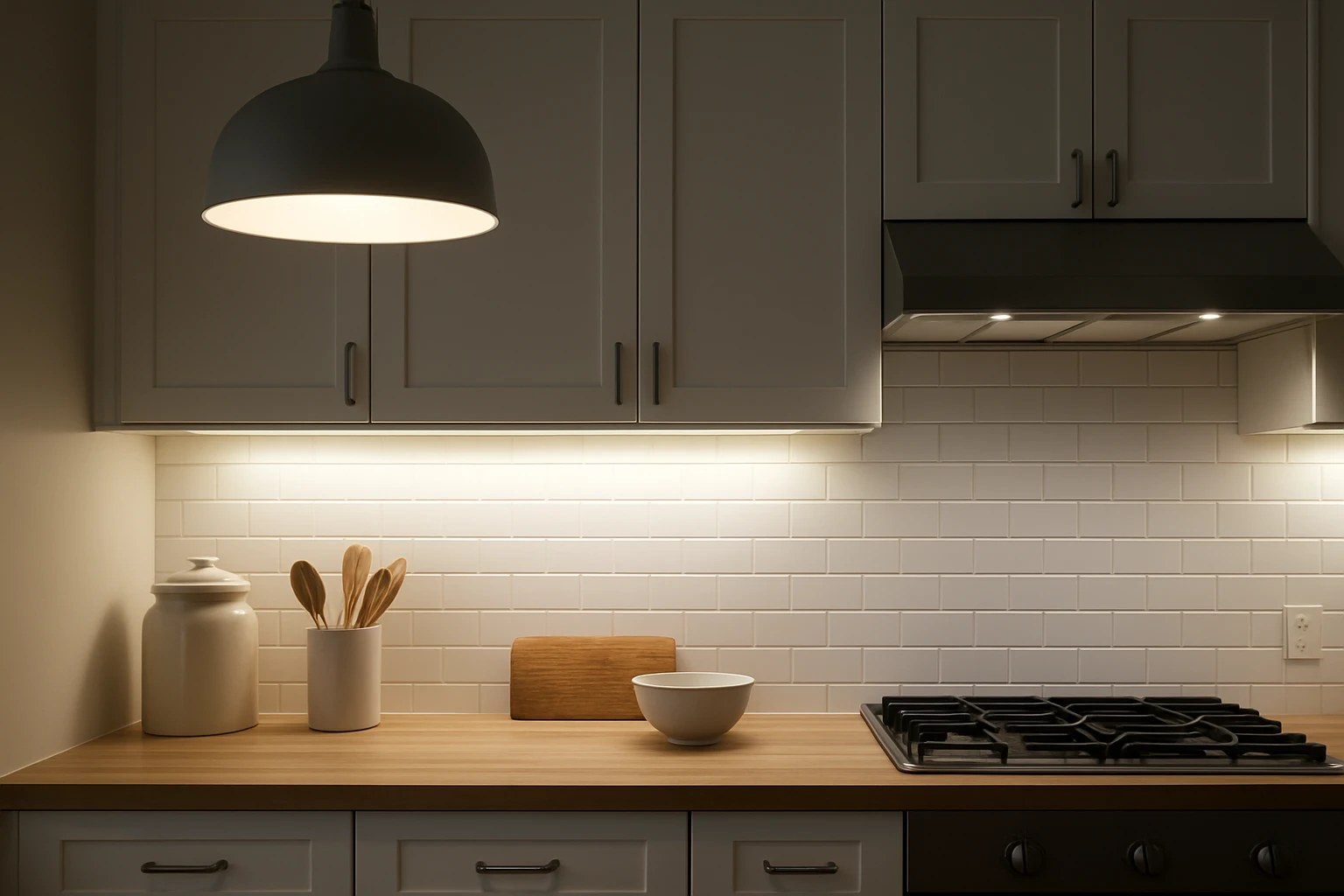
Task lighting can be achieved with under‑cabinet fixtures that deliver direct, glare‑free illumination. Products that combine magnetic attachment, dimmable LEDs, and motion activation reduce the need for manual switches, which can be difficult to locate for users with reduced peripheral vision.
Consider the MCGOR Motion Sensor Cabinet Lights. These 14.7‑inch units provide 63 LEDs, five brightness levels, and a 120° motion sensor range. The magnetic mounting system allows quick repositioning, and the rechargeable 2500 mAh battery supports up to 45 days in motion‑sensor mode. With a 4.5‑star rating from 49,585 reviews, the lights have proven reliability for both kitchen and pantry applications.
2. Adjustable Color Temperature and Dimming
Adjustable color temperature lets users switch between warm, neutral, and cool light to match task requirements. Cool white (≈5000 K) improves contrast for reading labels, while warm white (≈3000 K) reduces eye strain during prolonged cooking sessions. Stepless dimming enables fine‑tuned brightness, essential when glare must be minimized.
The EZVALO Rechargeable Cabinet Lights offer three preset color temperatures—Warm White (3000 K), Natural White (4500 K), and Cool White (6500 K)—plus stepless dimming from 10 % to 100 %. Their 80‑LED array delivers up to 500 lux on a standard countertop, and the built‑in battery indicator helps users avoid unexpected shutdowns.
3. Hands‑Free Operation with Motion Sensors
Motion‑sensor lighting eliminates the need to locate switches with limited vision. Sensors that detect movement within a 120° cone and up to 10 ft provide reliable activation in most kitchen layouts. Auto‑off timers of 20–30 seconds conserve battery life while ensuring the light is available when needed.
Both the MCGOR lights and the EZVALO lights incorporate ultra‑sensitive motion sensors. The EZVALO model adds four distinct modes—Always‑On, All‑Day Motion, Night Motion, and Always‑Off—allowing users to customize activation based on time of day or activity level.
4. Smart Voice‑Controlled Solutions
Voice‑activated lighting integrates seamlessly with smart home ecosystems, enabling users to control illumination without touching any device. Alexa‑compatible fixtures respond to simple commands such as “Alexa, turn on the kitchen lights” or “set the cabinet lights to 50 % brightness.”
The PureOptics Alexa Under Cabinet Light Bar provides a 24‑inch ultra‑thin LED bar that can be linked to up to three additional bars. It supports voice control, app‑based dimming, and a motion‑sensor hand‑wave feature for immediate activation. With a 4.5‑star rating from 1,455 reviewers, the product demonstrates strong performance in both residential and small‑business environments.
5. Portable and Extendable Lighting Kits
Some kitchen areas, such as gun safes, lockers, or deep pantry shelves, require slim, low‑profile fixtures that can be routed through tight spaces. Extendable kits with plug‑in connectors allow users to customize the layout without drilling or soldering.
The Litever Motion Sensor LED Light Kit includes six 12‑inch low‑profile bars, a 90° backing design, and a DIY extension system. Each bar produces 215 lumens, delivering bright illumination while the motion sensor stays active for 60 seconds per detection. The kit is ideal for cabinets where a permanent wired solution is undesirable.
Comparison and Selection Guide
| Feature | MCGOR Motion Sensor Cabinet Lights | EZVALO Rechargeable Cabinet Lights | PureOptics Alexa Light Bar | Litever Motion Sensor LED Kit |
|---|---|---|---|---|
| Power Source | USB‑C rechargeable (2500 mAh) | USB‑C rechargeable (2000 mAh) with battery indicator | Plug‑in AC, no battery | Hard‑wired AC, no battery |
| Brightness Levels | 5 preset levels | Stepless dimming (10‑100 %) | Adjustable via app or voice | Fixed 215 lumens per bar |
| Color Temperature | White (non‑adjustable) | 3000 K, 4500 K, 6500 K | Daylight 5000 K (adjustable white) | Daylight 5000 K |
| Mounting Method | Strong magnets, optional adhesive plates | Magnets plus adhesive plates for non‑metal surfaces | Adhesive backing, optional brackets | Screws or 90° brackets |
| Battery Life (Motion Mode) | 7‑45 days (depends on usage) | 10‑30 days | N/A (plug‑in) | N/A (plug‑in) |
| Price (USD) | $24.99 (2‑pack) | $31.29 (3‑pack) | $57.19 (1‑bar) | $37.99 (kit) |
| Average Rating | 4.5/5 (49,585 reviews) | 4.6/5 (359 reviews) | 4.5/5 (1,455 reviews) | No rating provided |
When selecting a system, prioritize motion‑sensor reliability, battery life, and the ability to adjust color temperature. Users who already employ a voice‑assistant will benefit from the PureOptics bar, while those who need portable, magnet‑mounted fixtures may prefer the MCGOR or EZVALO models. For deep‑cabinet or safe lighting, the Litever kit offers a slim, extendable solution.
Best Practices & Tips for Low‑Vision Kitchen Lighting
- Place lights at eye level. Mount under‑cabinet fixtures so the light beam reaches the countertop without creating shadows.
- Use glare‑reducing diffusers. Frosted covers and angled lenses prevent direct glare that can impair contrast sensitivity.
- Combine motion sensors with manual overrides. Keep a tactile switch or voice command as a backup in case the sensor fails to detect subtle movement.
- Maintain consistent color temperature. Avoid mixing warm and cool lights in the same work zone, as this can confuse depth perception.
- Check battery status regularly. Products with battery indicators, such as the EZVALO lights, help prevent unexpected darkness.
- Secure magnetic fixtures. Verify that the metal surface is clean and flat; use the supplied adhesive plates for non‑metal surfaces.
- Test motion sensor range. Walk through the kitchen while the lights are off to confirm activation distance and angle.
Frequently Asked Questions
- Do motion‑sensor lights work in bright daylight? Most kitchen motion sensors, including those in the MCGOR and EZVALO products, activate regardless of ambient light, but some models offer an "All‑Day Motion" mode that adjusts sensitivity to avoid constant activation in well‑lit rooms.
- Can I use magnetic under‑cabinet lights on wooden cabinets? Magnetic fixtures require a ferrous surface. The EZVALO lights include adhesive metal plates that allow attachment to wood or plastic, while the MCGOR lights rely solely on magnets and therefore need a metal strip or a separate metal backing.
- How long does it take to fully recharge a rechargeable cabinet light? Both the MCGOR and EZVALO lights recharge via USB‑C in approximately 2‑3 hours. The EZVALO kit includes a 3‑in‑1 cable that can charge three units simultaneously.
- Are Alexa‑compatible lights safe around water? The PureOptics bar is rated for indoor use and should be installed away from direct water exposure. Ensure that any wiring connections are protected by a waterproof conduit if installed near sinks.
- What is the best color temperature for reading recipes? Neutral to cool white (4000‑5000 K) provides the highest color rendering index, making printed text and digital screens easier to read.
- Can I extend the Litever LED kit to cover a larger safe? Yes, the kit includes a 2‑way splitter and extra 12‑inch bars, allowing users to add up to eight bars for comprehensive coverage.
- Is it necessary to replace batteries in rechargeable lights? No. The built‑in lithium‑ion batteries are designed for hundreds of charge cycles. When capacity diminishes after several years, the entire unit can be replaced.
Conclusion
Proper kitchen lighting transforms a hazardous environment into a safe, productive space for low‑vision individuals. By combining layered illumination, adjustable color temperature, motion‑sensor automation, and smart voice control, users can achieve a lighting system that adapts to daily routines and unexpected situations. The products highlighted in this guide—MCGOR Motion Sensor Cabinet Lights, EZVALO Rechargeable Cabinet Lights, PureOptics Alexa Under Cabinet Light Bar, and Litever Motion Sensor LED Light Kit—represent a spectrum of solutions that address magnetic mounting, battery management, smart integration, and slim‑profile installation. Implementing the best‑practice tips and selecting the appropriate fixture based on personal needs will ensure brighter, safer cooking experiences.
Products Featured in This Guide
MCGOR Motion Sensor Cabinet Lights
Price: $24.99 Rating: 4.5/5 (49,585 reviews)
Featured for its magnetic, rechargeable design, five brightness levels, and long battery life—ideal for quick, hands‑free illumination of countertops and pantry shelves.
Litever Motion Sensor LED Light Kit
Price: $37.99
Featured for its slim 12‑inch LED bars, extendable wiring, and 60‑second motion activation—perfect for deep cabinets, gun safes, or narrow pantry aisles.
PureOptics Alexa Under Cabinet Light Bar
Price: $57.19 Rating: 4.5/5 (1,455 reviews)
Featured for its Alexa voice integration, ultra‑thin profile, and adjustable white light—ideal for smart‑home enthusiasts who prefer hands‑free control.
EZVALO Rechargeable Cabinet Lights
Price: $31.29 Rating: 4.6/5 (359 reviews)
Featured for its three‑color temperature options, stepless dimming, battery‑level indicator, and four smart lighting modes—providing versatile illumination for diverse kitchen tasks.