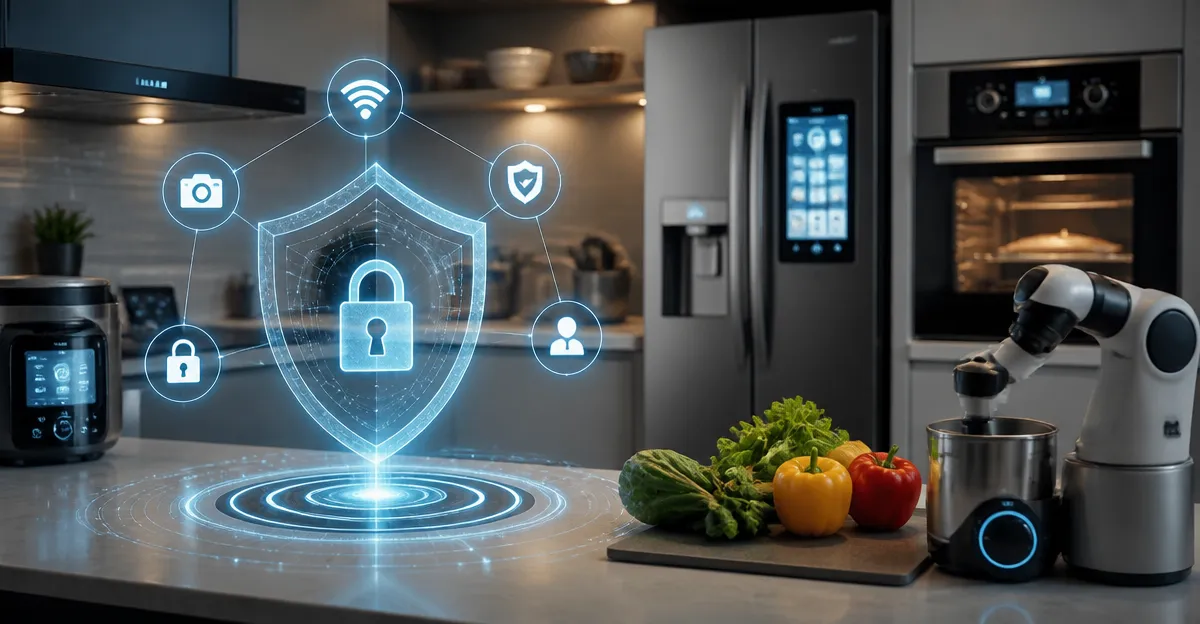
How to Secure Connected Adaptive Kitchen Devices: The Complete Smart Kitchen Cybersecurity Guide
Introduction
The modern kitchen increasingly relies on adaptive devices that communicate over Wi‑Fi, Bluetooth, and proprietary protocols. Readers of this guide will learn how to assess the threat landscape, implement layered defenses, and select security‑focused products that enhance protection without requiring an advanced IT degree. By the end of the article, one will possess a clear roadmap for creating a resilient smart kitchen environment.
Background and Context
Connected kitchen appliances such as smart ovens, refrigerators, coffee makers, and voice assistants operate as nodes within a home network. Each node presents an attack surface that cyber adversaries can exploit to gain unauthorized access, exfiltrate data, or disrupt service. Understanding basic concepts—such as network segmentation, firmware integrity, and authentication mechanisms—forms the foundation for effective risk mitigation.
- Network Segmentation: Dividing the home network into separate sub‑nets limits lateral movement of malicious actors.
- Firmware Validation: Ensuring that device firmware is signed and up‑to‑date prevents the execution of tampered code.
- Strong Authentication: Replacing default passwords with unique, complex credentials reduces the likelihood of credential‑stuffing attacks.
These concepts will be revisited throughout the guide as they relate to specific security controls and product recommendations.
Understanding Smart Kitchen Threat Vectors
Smart kitchen devices can be compromised through several pathways. Recognising these vectors enables targeted defence measures.
- Wi‑Fi Eavesdropping: Unencrypted traffic can be intercepted on insecure wireless networks.
- Bluetooth Exploitation: Pairing without authentication may allow remote command injection.
- Cloud Service Abuse: Poorly secured APIs can expose device settings to external actors.
- Physical Access: Direct interaction with device ports may permit firmware flashing.
Each vector is addressed in the subsequent sections with practical steps and recommended tools.
Network Hardening for the Smart Kitchen
A robust home network is the first line of defence. Implement the following measures before adding any smart appliance.
- Configure a dedicated guest SSID for all IoT devices, isolating them from primary devices such as laptops and smartphones.
- Enable WPA3 encryption where available; otherwise, use WPA2‑Personal with a strong, random passphrase.
- Disable WPS (Wi‑Fi Protected Setup) to prevent automatic credential sharing.
- Activate router firewall rules that block inbound traffic to IoT sub‑nets.
For users seeking an easy‑to‑implement solution, the Small Business Network Shield offers a step‑by‑step methodology to secure office‑grade Wi‑Fi, smart devices, and employee phones without an IT degree. Although marketed toward small businesses, its principles translate directly to a home environment. The paperback provides clear instructions, earns a 4.8‑star rating from five reviewers, and is priced at $9.99, making it an affordable reference for kitchen security.
Device Authentication and Credential Management
Many smart appliances ship with default credentials such as "admin"/"admin". Changing these credentials is essential.
- Access the device management console via a web browser or mobile app.
- Replace the default username with a unique identifier.
- Create a complex password of at least twelve characters, mixing uppercase, lowercase, numbers, and symbols.
- Store passwords in a reputable password manager rather than writing them down.
When selecting a password manager, prioritize solutions that support two‑factor authentication (2FA) and encrypted local storage. This practice reduces the risk of credential leakage across the entire smart kitchen ecosystem.
Firmware Updates and Patch Management
Manufacturers frequently release firmware updates to address security vulnerabilities. Establish a routine to check for updates weekly.
- Enable automatic update features where available.
- Subscribe to manufacturer newsletters for notification of critical patches.
- Verify the digital signature of firmware files before installation.
In cases where a vendor provides no update mechanism, consider isolating the device on a separate VLAN to limit exposure.
Monitoring and Intrusion Detection
Continuous monitoring helps identify anomalous behaviour such as unexpected outbound connections or spikes in network traffic.
The Cybersecurity for IoT guide, authored by Aaron T. Langford, delivers practical instructions for threat detection, security‑operations‑center (SOC) monitoring, and automated defence in modern connected environments. Although a Kindle edition priced at $8.99, the book provides actionable playbooks that can be adapted for a home kitchen setting. Its five‑star rating from three reviewers underscores its relevance and clarity.
Key takeaways from the guide include:
- Setting up a lightweight network‑traffic analyser (e.g., Zeek or Suricata) on a Raspberry Pi to capture device communications.
- Configuring alerts for connections to known malicious IP addresses.
- Implementing automated response scripts that quarantine a device when suspicious activity is detected.
Comparison and Selection Guide
Choosing the right security resources depends on budget, technical skill, and desired level of automation. The table below contrasts the two featured products.
| Feature | Small Business Network Shield | Cybersecurity for IoT |
|---|---|---|
| Format | Paperback (physical) | Kindle Edition (digital) |
| Price | $9.99 | $8.99 |
| Primary Focus | Network segmentation, device hardening, password hygiene | Threat detection, SOC monitoring, automated response |
| Audience Skill Level | Beginner to intermediate | Intermediate to advanced |
| Rating | 4.8/5 (5 reviews) | 5/5 (3 reviews) |
For readers who prefer a tangible reference and step‑by‑step network configuration, the Small Business Network Shield is the optimal choice. For those interested in deeper analytics and automated incident response, Cybersecurity for IoT offers a more technical roadmap.
Best Practices and Practical Tips
The following checklist consolidates essential actions for securing adaptive kitchen devices.
- Create a separate IoT VLAN or guest network and place all smart appliances within it.
- Disable unnecessary services such as UPnP, Telnet, and FTP on the router.
- Change all default credentials immediately after device installation.
- Schedule weekly firmware checks and apply updates promptly.
- Utilise a reputable password manager with 2FA for credential storage.
- Deploy a low‑cost network‑traffic monitor to detect anomalous outbound connections.
- Document device inventory, including MAC addresses, IP assignments, and firmware versions.
- Educate household members about phishing attempts that target smart‑home apps.
Implementing these measures creates multiple layers of defence, reducing the probability of a successful breach.
Frequently Asked Questions
- Do I need a separate router for my smart kitchen? A dedicated router is not mandatory, but configuring a guest network on the existing router provides effective isolation without additional hardware costs.
- Can I use my smartphone as a network monitor? Some mobile applications can capture traffic on the same Wi‑Fi network, yet they often lack the depth of a dedicated hardware sensor. For comprehensive monitoring, a small single‑board computer such as a Raspberry Pi is recommended.
- What should I do if a device stops receiving firmware updates? Isolate the device on a separate VLAN, restrict its internet access, and consider replacing it with a model that receives regular security patches.
- Are voice assistants a security risk in the kitchen? Voice assistants process audio data in the cloud; securing the underlying network and disabling unnecessary skills mitigates exposure.
- How often should I change device passwords? Change passwords at least every six months, or immediately after any suspected compromise.
- Is it safe to use public Wi‑Fi with my smart appliances? Public Wi‑Fi lacks encryption and exposes devices to man‑in‑the‑middle attacks. It is advisable to keep smart appliances off public networks entirely.
- Do the featured books cover hardware firewalls? Both guides discuss network segmentation and firewall configuration, though they focus primarily on software‑based controls suitable for home environments.
Conclusion
Securing connected adaptive kitchen devices requires a combination of network hygiene, credential management, regular updates, and continuous monitoring. By applying the strategies outlined in this guide and leveraging the recommended resources, one can create a resilient smart kitchen that enjoys the convenience of automation while maintaining robust protection against cyber threats.
Products Featured in This Guide
Small Business Network Shield
Price: $9.99
Rating: 4.8/5 (5 reviews)
Why it is featured: Provides clear, non‑technical guidance for network segmentation, password hygiene, and device hardening, which are essential foundations for a secure smart kitchen.
Cybersecurity for IoT
Price: $8.99
Rating: 5/5 (3 reviews)
Why it is featured: Offers advanced techniques for threat detection, SOC monitoring, and automated defense, enabling readers to extend basic security measures with proactive incident response capabilities.